



Ask Your Future Portfolio Anything…
Over the past year, we’ve rolled out the BankersLab Command Center beta and had no shortage of questions from lenders exploring what AI-powered decisioning could mean for their portfolios.
This Q&A brings together the questions we hear most often from CROs, Heads of Credit, CFOs, and lending leaders evaluating BankersLab Command Center and the shift from backward-looking analysis to forward-looking decision support.
1. So…what is BankersLab Command Center?
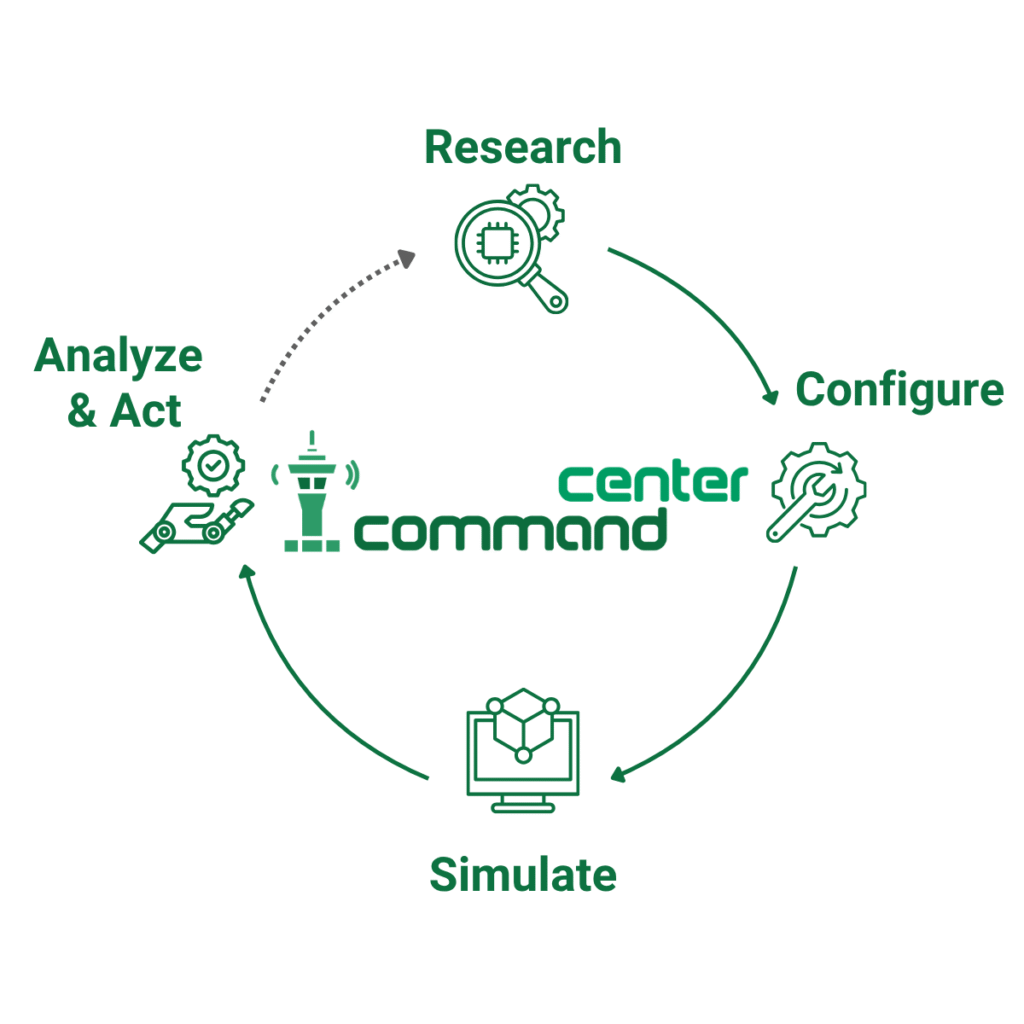
The BankersLab Command Center builds a digital twin of your portfolio, runs live simulations, and gives you AI-generated recommendations — your team reviews, approves, and acts on in days, not months.
2. How is this different from everything we use now?
Your BI stack tells you what happened.
Command Center shows you what will happen under different strategies before customers or losses feel it.
You already have reporting, dashboards, and models tuned to the last quarter.
Command Center pressure-tests tomorrow’s pricing, credit policy, and growth bets against a live digital twin of your portfolio.
3. Is this a workshop, a consulting project, or a platform?
It is a software platform: BankersLab Command Center is your permanent AI decisioning solution.
Workshops and InsightLab Twin Sprints are time-boxed and can be used to prepare your team; Command Center is embedded in how you run the portfolio every week.
We still run sprints and training — those generate insight and skills. Command Center turns them into an everyday capability.
4. How does the digital twin actually work?
We configure a secure, explainable model of your portfolio using unit economic data and public market signals, not raw PII.
It mirrors how your book behaves: pricing dynamics, credit risk by segment, customer behavior, and macro sensitivity.
Anything that can happen to your real portfolio can be tested in the twin first, with zero risk to real customers.
That is what lets you rehearse strategy changes before you touch policy, limits, or lines.
5. What does the AI actually do?
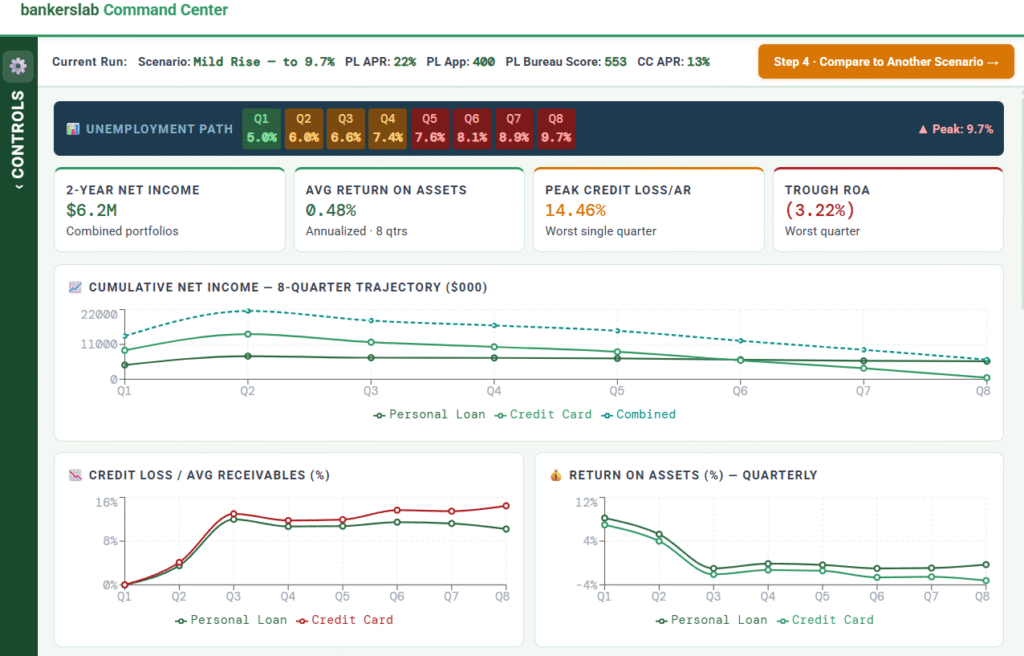
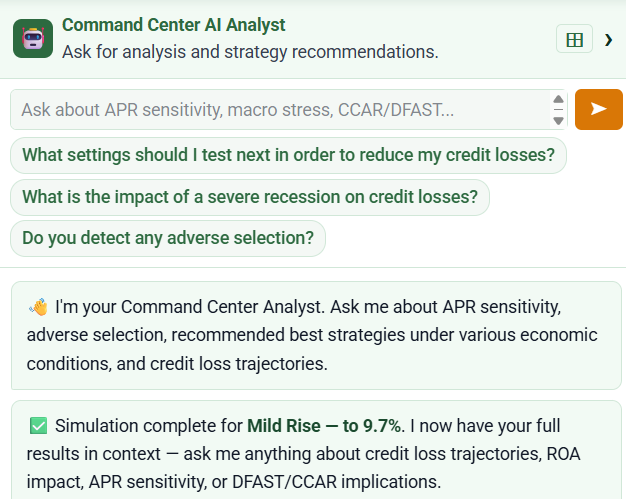
The AI ingests simulation outputs from your digital twin, interrogates the results, and surfaces the implications for your P&L.
It then recommends specific actions, with explanations and projected outcomes by segment.
Command Center uses agentic reasoning, not autonomous agents.
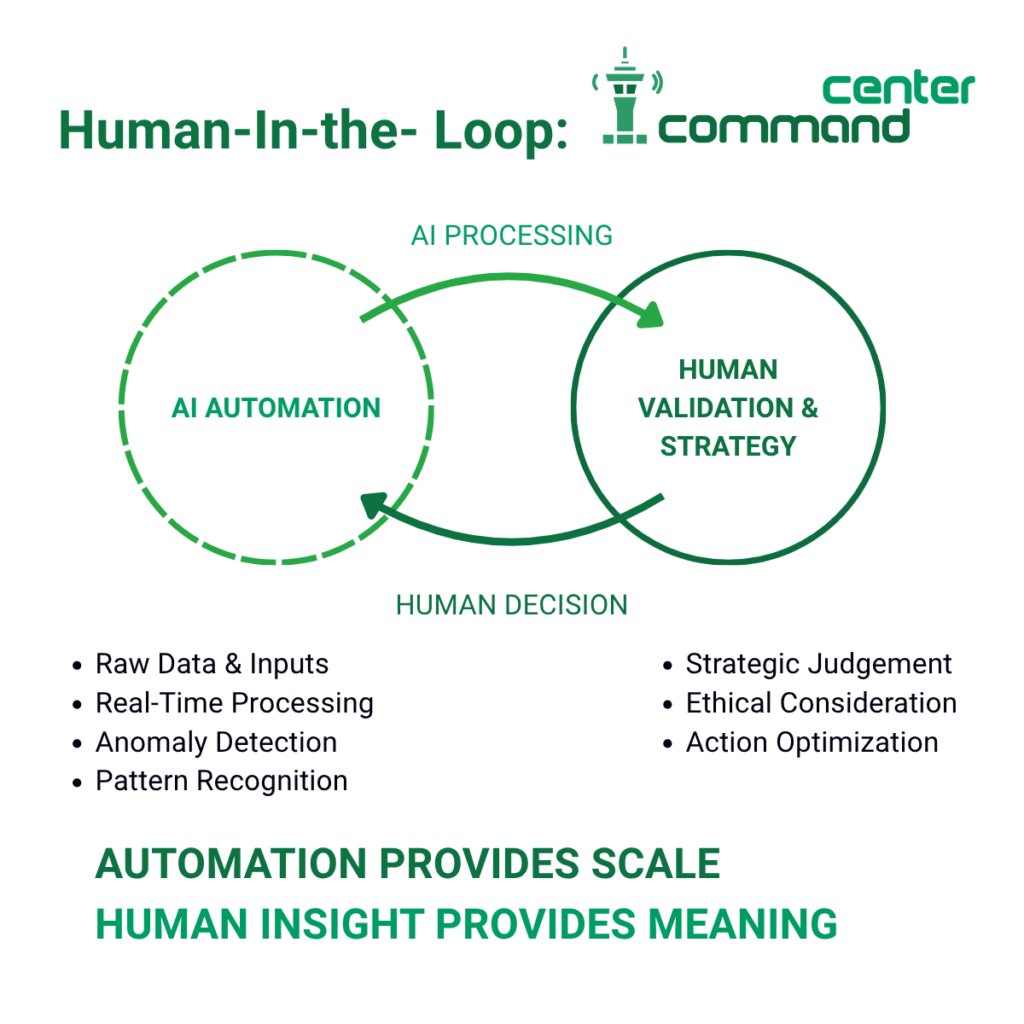
It looks things up, reasons, explains, and recommends; your team decides what happens in the real world.
6. What data do you need from us?
To get started, we use your portfolio unit economics and configuration data, plus public market and competitor signals.
We do not require PII or account-level data for the initial build of the digital twin.
Over time, we can deepen the twin with richer internal data where it makes sense and where governance supports it.
The design goal is simple: enough fidelity to be decision-useful, without making your CISO nervous.
To get started, we use your portfolio unit economics and configuration data, plus public market and competitor signals.
7. How painful is the integration?
Command Center is complementary to your existing decision platforms and data warehouse.
We configure around the data and infrastructure you already trust, instead of asking you to replace it.
The first step is light-touch: connect the unit economics, not every single transaction table.
That allows your teams to see value in weeks and earn the right to deeper integration later.
8. Where does this thing run, and what are the compute implications?
BankersLab Command Center can run in your preferred environment, including private cloud or VPC, with on-prem options where required.
No PII is needed to start, which keeps the infrastructure profile focused on simulation and reasoning, not raw data hoarding.
Under the hood, you are effectively running a continuous portfolio simulation and an AI reasoning layer on top.
Your IT team gets a predictable deployment footprint instead of a mystery AI box in the corner.
9. What kinds of questions can leadership actually ask?
Command Center is built around strategic questions, not canned reports.
Examples that CROs, Heads of Credit, and CFOs ask today:
· “What happens to delinquency by segment if unemployment rises 2%?”
· “A fintech company just cut APRs 75 bps. What counter-moves protect our P&L?”
· “Which prime borrowers are most likely to defect in their first 6 months?”
· “What rate and credit box maximize margin on our new personal loan without adverse selection?”
You ask the question in plain language.
The system responds with simulated outcomes, exposures, and ranked strategies, with full reasoning.
10. What are the most common use cases?
For CRO and Head of Credit:
- Macro stress: simulate delinquency trajectories by segment under rate and unemployment shocks, and flag the most exposed profiles for early intervention.
- Credit policy changes: pressure-test new cut-offs, limits, or scorecards before they hit the live book.
For CEO and CFO:
- Growth vs. loss trade-offs: explore strategies that expand top-line revenue while staying inside loss caps.
- Capital and planning: rehearse scenarios before they show up in the board pack or stress test.
For Head of AI and Head of Lending:
- Competitor moves: model APR cuts, BNPL partnerships, and new products from challengers, and see what they do to your volumes and margins.
- New product entry: test pricing and credit criteria for new products before you commit policy to code.
11. How does this change my team’s day-to-day work?
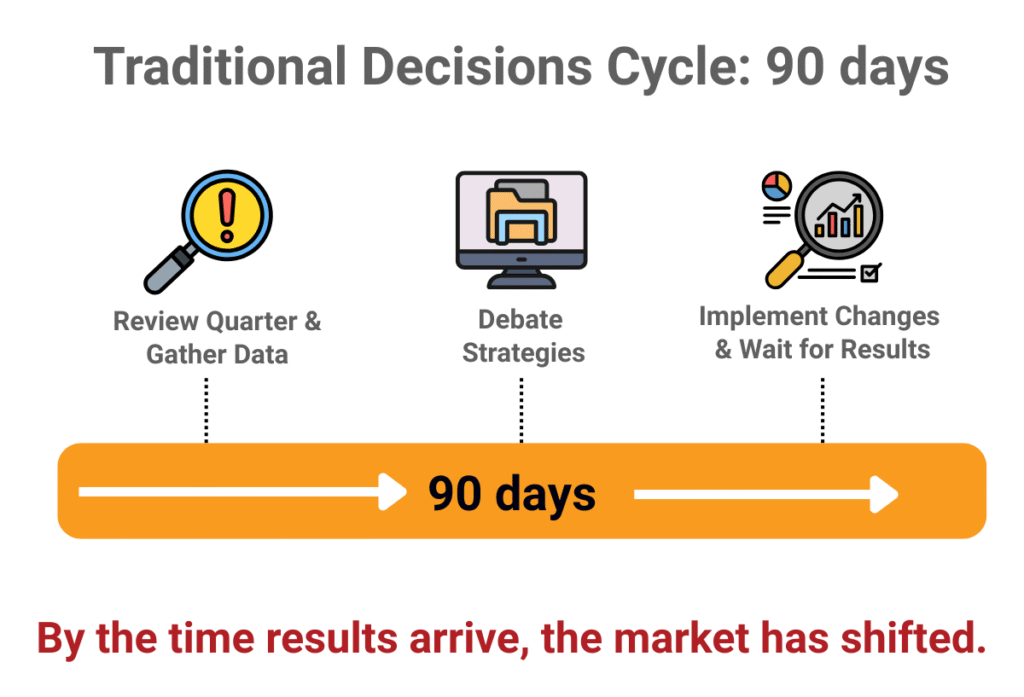
Today, a typical 90-day cycle is: gather data, debate, implement, wait, discover the market has already moved.
With Command Center, your teams move to a rhythm of question, simulate, review, decide, and deploy in days.
Analysts spend less time cleaning and reconciling history, and more time interrogating simulated futures.
Leaders stop arguing about whose spreadsheet is right and start debating strategy trade-offs on the same simulated ground truth.
12. Does this replace my analysts, risk team, or AI group?
No. It arms them.
Command Center is explicitly a decision support tool, not automated decisioning.
Your analysts get a high-fidelity sandbox where they can test dozens of strategies in days, not months.
Your risk and AI teams get explainable reasoning and full audit trails that stand up in front of model risk and regulators.
13. What is the impact on the lending portfolio?
Command Center surfaces forward-looking revenue opportunities, pricing gaps, and retention risks that do not yet show in your BI dashboards.
It also quantifies the P&L impact of inaction, which tends to sharpen executive focus.
One approved example: a lender used simulation to test digital marketing strategies, then delivered 11% year-over-year growth versus an industry average of 7%.
We do not extrapolate that figure; we show you your own numbers in your own twin.
14. How does Command Center handle risk, compliance, and explainability?
BankersLab Command Center is designed for governed, auditable decisioning from day one.
Your risk guardrails, credit policy parameters, and regulatory constraints are configured into the simulation, not bolted on later.
Every recommendation comes with a complete reasoning trail—what was simulated, what changed, and why a strategy is being suggested.
You get a full audit trail across simulations, recommendations, and approvals, aligned with modern AI risk expectations.
15. Is this really not a black-box AI?
It is not a black box.
For each recommendation, Command Center shows you the scenarios, assumptions, and paths that led there.
The operating principle is simple: AI recommends; humans decide.
In a regulated environment, “the AI said so” is never the answer—we built the product with that in mind.
16. Who usually sponsors this, and who needs to be in the room?
Economic buyers are typically the CRO, Head of Credit, Head of Lending, CFO, or CEO—depending on whether the immediate pain is risk, growth, or capital.
The Head of AI or Head of Data is often the technical champion, and risk/compliance are essential early stakeholders.
In practice, the strongest Command Center programs have a senior executive sponsor and a cross-functional squad that includes risk, credit, finance, and AI.
That mix keeps the simulations sharp and the decisions grounded.
17. What types of portfolios does this work best for?
BankersLab Command Center is built for consumer, retail, and small business lending portfolios where strategy shifts move real money.
Common domains include credit cards, personal loans, BNPL, auto, and SME lines.
If your portfolio has meaningful volume, segmentation, and strategy levers—pricing, limits, policy, collections—Command Center can likely add value.
If it is a tiny, static book with no meaningful decisions to make, a quarterly spreadsheet may still be your best friend.
18. Does this only work in the US?
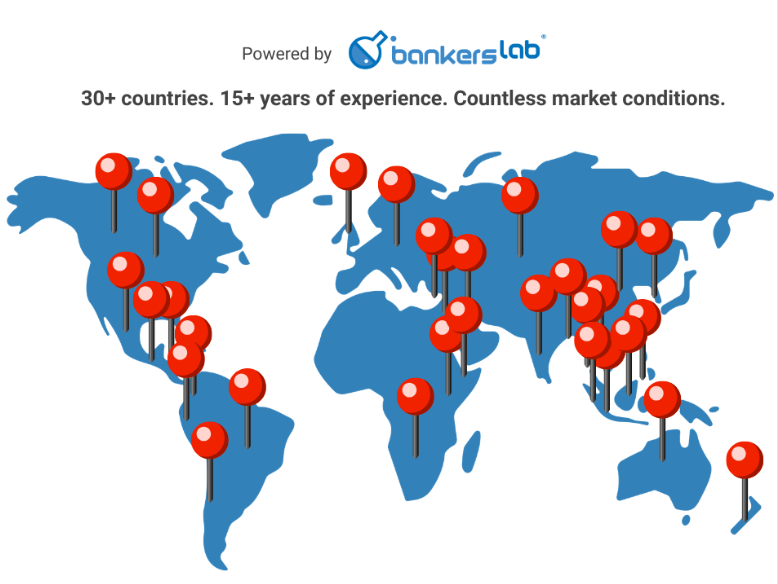
No. BankersLab has worked with lenders and ecosystems in over 30 countries across Asia, Latin America, the Middle East, and beyond.
Command Center incorporates local macro signals and regulatory context into the way the digital twin behaves.
We do not treat “global” as a single market; we treat each portfolio in its own environment.
That is part of why simulation is so powerful: you can test decisions in your conditions before committing capital.
19. What is the first step if we’re interested?
You start with the Pathfinder: a 90-day, limited-scope production engagement focused on one live strategic question.
We run that question through your digital twin, generate recommendations, and walk risk and compliance through the explainability.
At the end, you have documented results on a real portfolio question and a clear decision: scale to full production or stop.
No “pilot,” no science project—just one strategic question, real outcomes, and an informed yes or no.
See the Future. Shape the Outcome.
Ready to Ask Your Future Portfolio a Question?
Bring your toughest question. We’ll show you how your future portfolio might answer it.
Request a Command Center demo today.